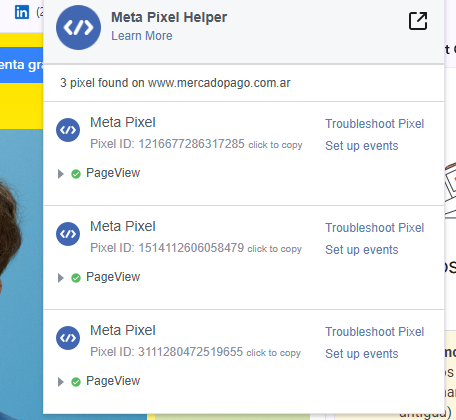
Esta herramienta va a servir a modo de visibilidad para poder saber que pixel está siendo disparado en tu sitio web y en que página sucede.
¿Qué Información es Importante?
ID del Pixel que envía la información
Nombre del evento “PageView” por ejemplo
Parámetros Enviados (por ejemplo, monto en caso de compras)
Te gustaría recibir más información? Acá podrás encontrar todo lo necesario para instalar de manera correcta el tag: https://developers.facebook.com/docs/meta-pixel/support/pixel-helper/
The Pixel Helper is a Chrome Browser extension that runs in the background to automatically reviews websites for Meta Pixel code. When the extension is installed a </> icon, the Pixel Helper icon, will appear in the upper right corner of the browser next to the address bar. When a website has a Meta Pixel installed, the Pixel Helper icon turns blue and a small badge will appear indicating the number of Pixels found on the webpage. If the icon does not turn blue, no Meta Pixels are installed on this webpage. Click the Pixel Helper icon and a small popup appears with information you can use to verify, troubleshoot, and improve the Pixel.
Eugenio Nielsen
Más de 20 años de experiencia en Performance Marketing y Marketing Digital
Campañas para LATAM, US y ASIA.
+100 millones de dólares gestionados en inversión publicitaria